available in chicago and northwest ohio!
//
Request your city at hello@jinship.com
//


Homan Sq. Park · open until 7 pm
Moore Park · closes soon
people were left out in the cold in Chicago on January 22, 2026.
Each dot is one person.
Chicago has hundreds of places to get warm. But their hours live on dozens of websites, availability changes with holidays, capacity, and weather.
Park District
Facility Hours Closed | 7:00 am-8:00 pm
Senior center
Monday–Friday 8:30 a.m.–4:30 p.m.
Library data feed
tuesday: 12:00–20:00
Hours scattered everywhere
Libraries, park fieldhouses, and city centers each post hours on their own sites, in their own formats.
6 pm · Open until 9
2 am · Boiler fails
7 am · Closed today
Website still says Open 9–5
Closures change overnight
Construction, a broken boiler, or a full room can close a site with little notice that leaves those in need + caseworkers in the dark.
Start
45 min in the cold
Locked door
30 more minutes
Open warming center
A wrong answer costs hours
Someone sent across the city to a locked door loses time, warmth, safety, and trust in the next referral.
People looking for warmth see what’s open near them. The people who run each site keep the information updated.
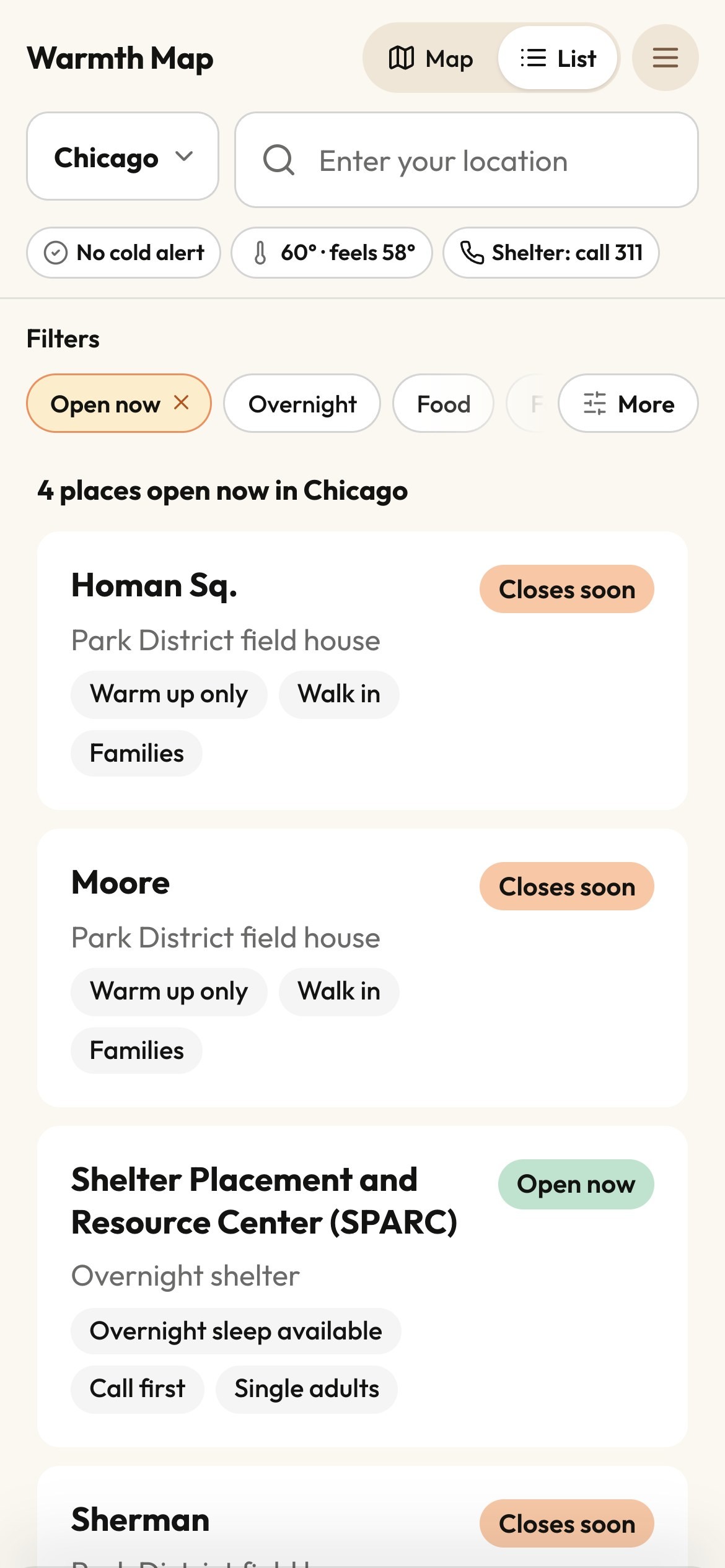
4 open now of 294 places
for visitors
See what’s open now, closing soon, or opening later
Hours, location, and how to get in
Directions and a phone number in one tap
Filter locations for places that fit your needs best.
Open the map


Staff update · marked open for tonight · just now
for site staff
Mark yourself open, full, or closed for today
Preview exactly what visitors will see
Every edit helps someone get shelter faster.
How it works for sites
how it works
Every site on the map is tied to the public pages that describe it. When those pages change, the map follows.
1
We read the official pages
chipublib.org · Albany Park
Hours
Saturday 9:00 AM – 9:00 PM
Our monitor checks each agency’s page for hours, closures, address, and phone. During cold-weather alerts, we check more often.
2
People review big changes
Sat 9–5 → Sat 9–9
Routine change · applied, copy of the page kept
Routine hour updates go live with a copy of the source page kept. Any unusual changes are reviewed by our team.
3
Site staff confirm in real time
Albany Park
Open now
Open until 9 pm
Library · 3401 W. Foster Ave.
Staff at each site can claim their organization and update information manually so everyone in need can immediately see what’s available.
168 pages
from official agencies, checked for changes
60 min
or less between checks during cold-weather alerts
Official sources we check in Chicago
Chicago Public Library
Chicago Park District
Chicago Dept. of Family & Support Services
City Colleges of Chicago
Chicago Police Department
built for trust
Outreach teams and city staff make real decisions with this map. We built it so every answer can be traced and checked.
Hours updated · Pat, site staff
Today, 3:12 pm · Sat 9–5 → Sat 9–9
Every change has a receipt
Each update records where it came from: the official page, the site’s own staff, or our team.
pat@chipublib.org
Verified
Only verified staff can edit
People confirm they work at a site with their organization’s email, or our team confirms them by hand.
Official page
Open 9–5
Staff said
Closed today
Staff updates are never overwritten
If an official page disagrees with what a site’s staff said, a person decides. The monitor never overrides them on its own.
warmth.jinship.com
No app · no sign-up
Free for anyone to use
No app and no sign-up. Anyone can open the map on a phone and find the nearest open door.
We work with city governments, warming sites, and outreach teams to map warming shelters and keep it accurate all winter.
Let’s help your community stay safe in the cold; reach out to hello@jinship.com